Game Toolkits
RPG Map Editor
Paint an RPG map with three controls: left click, right click and Shift.
Unity 6 Ready
Get it on the Unity Asset Store
Buying through this link may earn Creative Spore a small Unity Asset Store commission — at no extra cost to you.
Documentation →Features
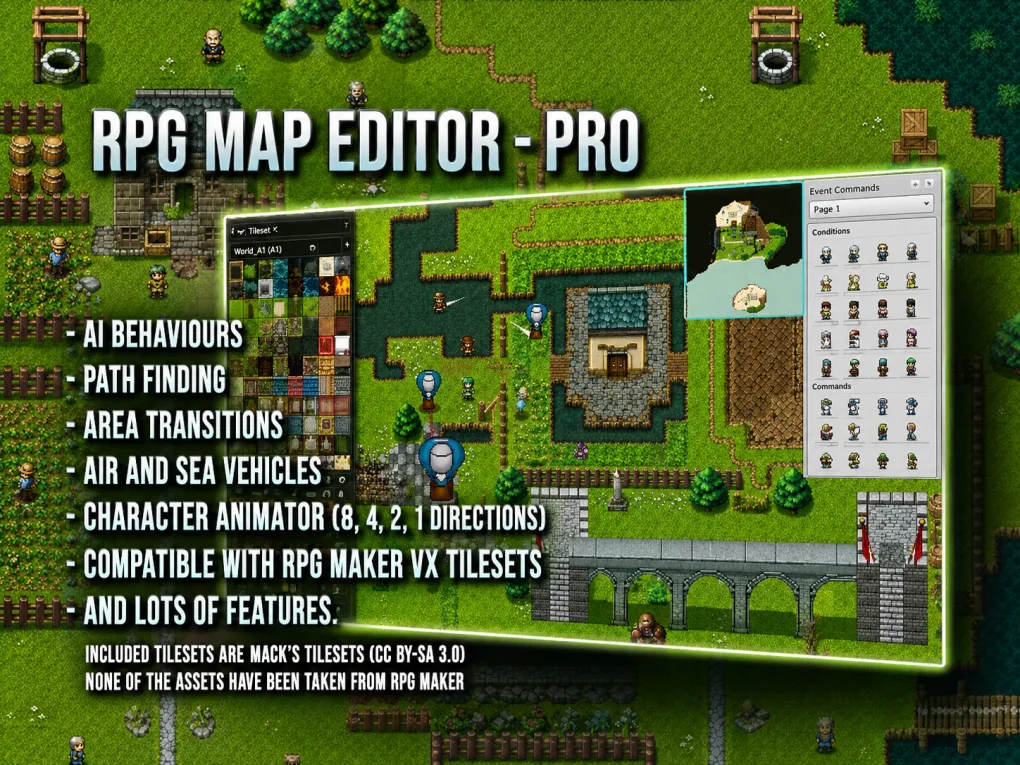
- Edit in the Editor or in play mode
- Autotiles & animated tiles
- Multi-layer maps with custom tile size
- RPG Maker VX tileset support
- Fast coroutine path finding
- Area transitions between maps
- Procedural map generation
- Fog of war layer & auto minimap
- Collisions by tile type — wall, fence, block
- Directional charset animator (1, 2, 4 & 8 directions)
- AI behaviours — follower, NPC, companion
- Air & sea vehicles
RPG Map Editor is an autotile map editor for RPG games — or anything you want to create in the Editor or while playing your game. With collisions and a minimap integrated, it gives you everything you need to create a complex and wonderful RPG world quickly and easily, with no complicated tools or options.
Paint an RPG map with three controls: left click paints, right click copies a tile or a group of tiles, and Shift changes what either one does.
Try it
- HTML5 demo: play it on itch.io