Shape Spawners
Shape spawners decide where an agent can appear. Two are included.
Swarm Rect Spawner
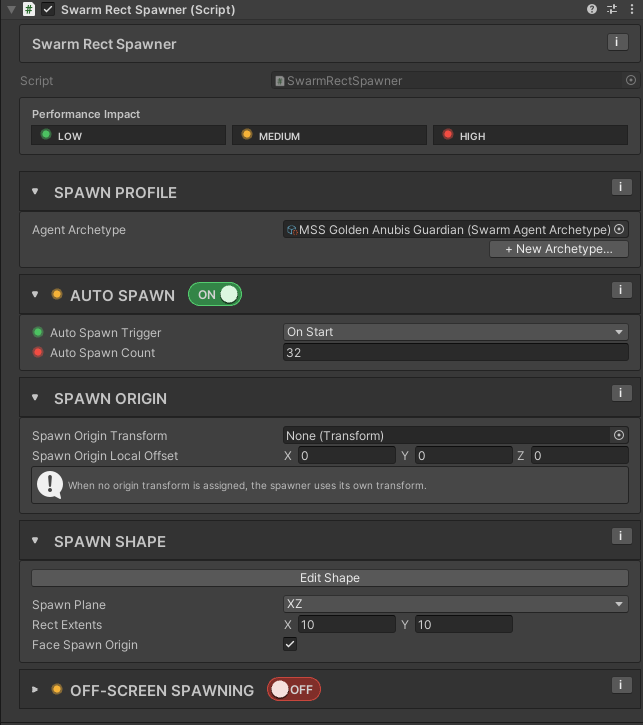
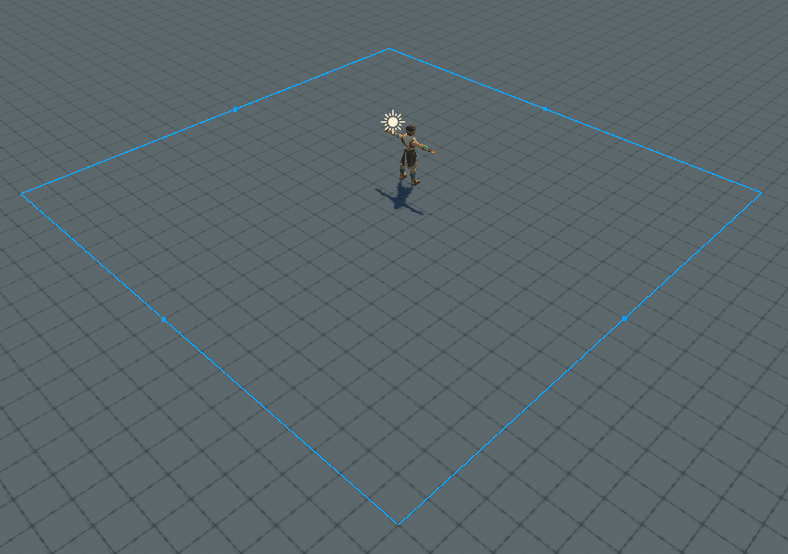
Spawns agents in a rectangular area. Use it for waves entering from an edge or side of the level.
Add via right-click in Hierarchy → Massive Swarm System → Spawners → Rect Spawner.
Swarm Ring Spawner
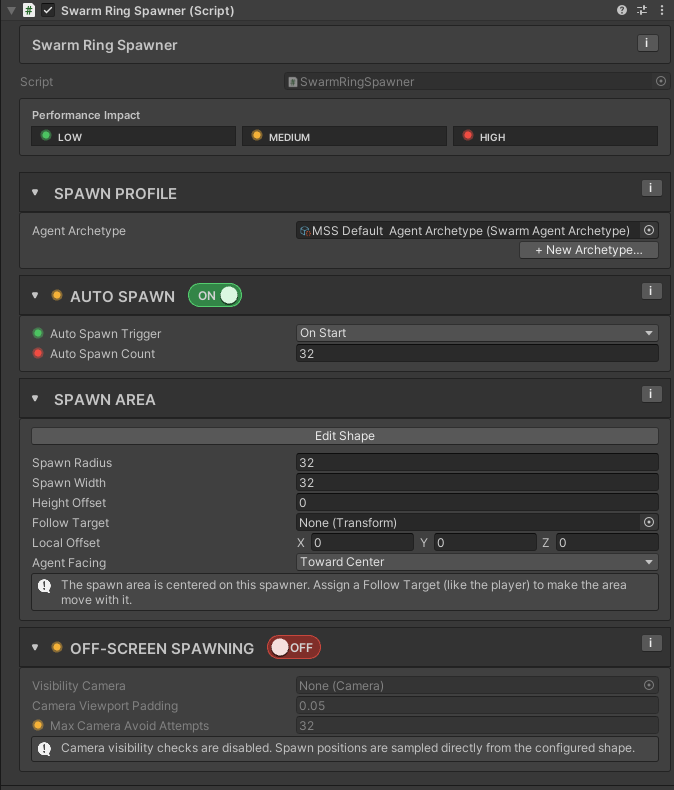
Spawns agents in a ring around a center point. Use it for ambushes or encirclement setups.
Add via right-click in Hierarchy → Massive Swarm System → Spawners → Ring Spawner.
Key fields
| Field | What it does |
|---|---|
| Agent Archetype (Spawn Profile section) | The SwarmAgentArchetype used by this spawner when it spawns directly (no director), and the fallback a director drops back to when its composition list has nothing usable. An entry counts only if it is enabled, has an archetype assigned and carries a weight above zero, so a list full of disabled or zero-weight rows falls back here just like an empty one. |
| Auto Spawn | When on, this spawner spawns the auto-spawn count itself on Start or OnEnable. Turn this off when a director drives the spawner. |
| Auto Spawn Trigger | When Auto Spawn is on, choose On Start to fire once, the first time the spawner is active, or On Enable to fire every time the component is enabled. |
| Auto Spawn Count | How many agents Auto Spawn requests. A newly added spawner defaults to 32 agents. |
| Spawn Area | The shape fields: Rect Extents on the Rect Spawner, Spawn Radius and Spawn Width on the Ring Spawner. |
| Height Offset | Ring Spawner only. Lifts or drops the ring above or below its spawn plane, in world units. Default 0. Edit Shape mode gives it a draggable handle in the Scene view. Reach for it when agents appear buried in a slope or hovering over one. |
| Follow Target | Optional transform the spawn area centers on and moves with. Assign the player to keep spawns around them wherever they go. |
| Local Offset | Shifts the area's center in the Follow Target's local space (or the spawner's own when none is set). Z pushes it forward, for example ahead of the player. |
| Agent Facing | Which way agents point at the moment they spawn: Spawn Area Forward points everyone the same way, Toward Center aims them at the area's center. They steer on their own right after. |
| Off-Screen Spawning | Optional rule that keeps spawn positions outside the visible camera area. Both spawners have it and they do not behave the same way when it fails. See below. |
Warning
If a director references a shape spawner and that spawner has Auto Spawn enabled, both can spawn agents when the scene starts: the spawner does on its own trigger, and the director does too while its own Auto Start is on, which is the default. The spawner inspector flags the combination. Disable Auto Spawn on the spawner to make the director the sole owner.
Off-screen spawning
Turn on Off-Screen Spawning, the On/Off pill on that section's header, and the spawner keeps agents from popping into existence in front of the player. Both shape spawners support it, with a shared set of controls:
| Field | What it does |
|---|---|
| Off-Screen Spawning (the pill on the section header) | Turns the feature on. Off by default |
| Visibility Camera | Which camera counts as "seen". Leave it empty and the spawner uses the tagged MainCamera, falling back to the first active camera. If it finds neither, it spawns nothing and warns once |
| Max Camera Avoid Attempts | How many random positions to try before giving up. Rect allows 1 to 32 and defaults to 12; Ring allows 1 to 64 and defaults to 32 |
| Camera Edge Skin Distance | Rect Spawner only. Used when every attempt fails and the spawn is moved to the camera edge: how far past that edge it lands, in world units. Default 2 |
| Camera Viewport Padding | Ring Spawner only. Extra viewport margin treated as visible when rejecting positions, default 0.05 |
The two spawners fail differently, and one of them loses agents
When every attempt lands inside the camera view, Rect Spawner takes one more random point and moves it to the nearest edge of the camera's view, Camera Edge Skin Distance beyond it. The spawn still happens, but repeated failures line agents up just outside that edge, and the point can fall outside the rectangle. If the camera's view does not reach the spawn plane at all, the spawn is lost and one warning is logged. Ring Spawner gives up instead: it logs one warning, that agent is not spawned, and the rest of the batch being spawned is dropped with it.
So a ring ambush that keeps coming up short of the count you asked for is not a bug in the count. The ring is too small relative to the camera, or the attempt budget is too low. Widen Spawn Radius or Spawn Width, or raise Max Camera Avoid Attempts. The warning fires only once per spawner, so do not expect the console to keep reminding you.
Spawning from your own code
Neither Auto Spawn nor a director is required. Every shape spawner inherits Spawn and TrySpawnOne, which is what you want for a trigger volume, a boss phase, or a scripted ambush.
// Spawn a batch. Returns how many actually spawned, which can be fewer
// than asked if the swarm hits capacity or an off-screen position
// cannot be found.
int spawned = m_ringSpawner.Spawn(20);

// Spawn one and keep a handle to it, optionally overriding the archetype.
if (m_ringSpawner.TrySpawnOne(m_eliteArchetype, out SwarmAgentHandle handle))
{
    m_boss = handle;
}
TrySpawnOne takes an archetype override, so one spawner can produce a mixed group without a director. Pass null to use its own Agent Archetype. Both methods log an error and do nothing if there is no active SwarmManager in the scene.
The component also has two context-menu items, Auto Spawn Now and Spawn Initial Agents, in the component's context menu: the three-dot icon in its header, or a right-click on the header. They both fire the configured auto-spawn count, which is handy for checking a spawn area in Play mode without wiring anything up.
Common patterns
| Pattern | How |
|---|---|
| Single-burst encounter | One shape spawner, Auto Spawn on, Auto Spawn Count set. No director needed. |
| Waves entering from one edge | Rect Spawner aligned to a level edge, driven by a director in Continuous mode. |
| Off-screen ambush around the player | Ring Spawner with Follow Target set to the player, Off-Screen Spawning on, driven by a director or triggered from script. |
Related
- Spawners overview
- Swarm Spawner Director: drives shape spawners with full encounter logic.
- Swarm Agent Archetype: what each spawner references.